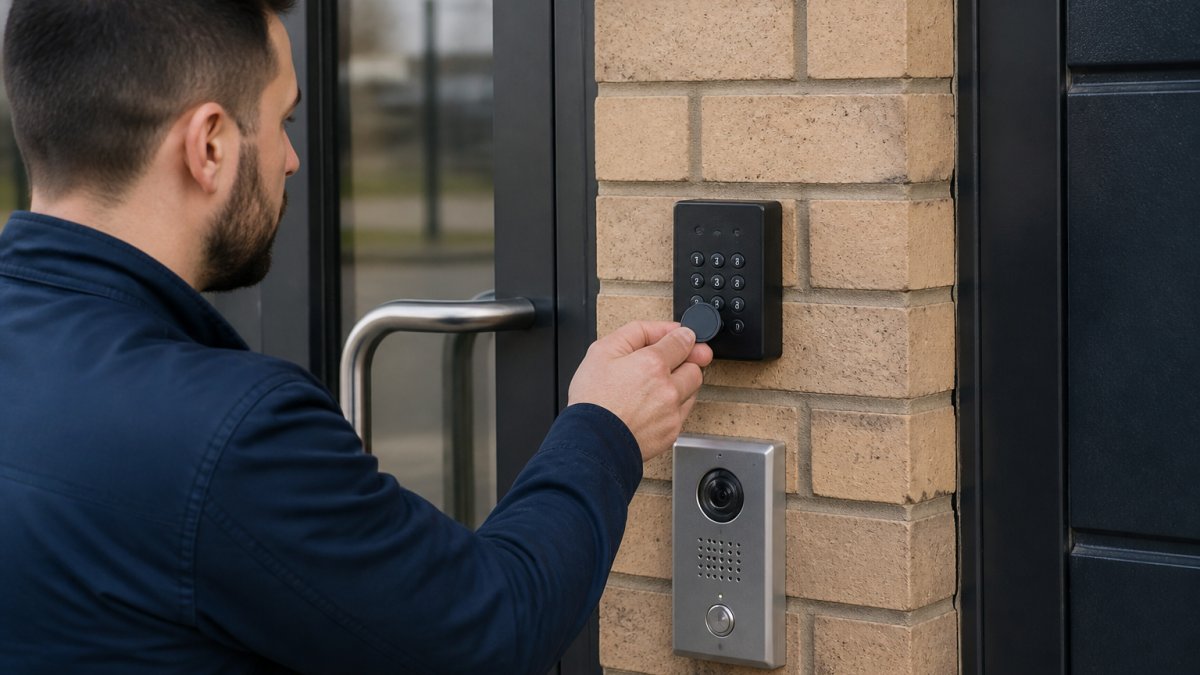
 ultimate-guide
Commercial Security Systems: A 2026 Guide
Table of Contents
- What Commercial Security Systems Protect
- Types of Commercial Security Systems
- Commercial Alarm Systems: Detection and Response
- Business CCTV Systems: Monitoring and Recording
- Commercial Access Control Systems: Who Enters
- Business Security System Maintenance: Keeping Systems Reliable
- Installation Considerations for Commercial Security
- Choosing the Right System for Your Business
- Frequently Asked Questions
Last Updated: October 5, 2026
What Commercial Security Systems Protect
Commercial security systems safeguard the assets, data, and people within business premises. These systems form a comprehensive defence against unauthorised access, theft, and damage by combining detection, monitoring, and response capabilities.
The scope of protection extends beyond simple alarm triggers. A well-designed commercial security system protects physical assets like inventory and equipment, restricts access to sensitive areas, creates audit trails of who enters and exits, and provides evidence in case of incident investigation. For many businesses, this layered approach is essential to meeting insurance requirements and regulatory compliance obligations.
Different business types require different protection priorities. A retail shop needs visible deterrence and rapid response to break-ins. A data centre requires strict access control and continuous monitoring. A warehouse prioritises perimeter security and inventory tracking. Understanding what your premises need to protect determines which commercial security systems components matter most.
Types of Commercial Security Systems
Commercial security systems fall into distinct categories based on their primary function. Most businesses combine multiple types to create a comprehensive security posture.
Alarm Systems for Business Premises
Alarm systems detect intrusions and trigger responses when boundaries are breached. These commercial alarm systems use sensors on doors, windows, and perimeter points to identify unauthorised entry attempts.
Modern commercial alarm systems operate in layers. Perimeter sensors detect when doors or windows open outside business hours. Interior motion detectors catch intruders who breach the perimeter. Glass break sensors identify forced entry attempts. When triggered, these sensors send signals to a monitoring centre, which alerts your team and may contact emergency services depending on your contract terms.
The reliability of commercial alarm systems depends on proper configuration and maintenance. Sensors must be positioned to cover all likely entry points without creating false alarms from legitimate activity. Monitoring centre response times and protocols vary between providers, so clarifying these details before installation ensures your expectations align with actual service levels.
Access Control and Electronic Locking
Access control systems determine who can enter specific areas and when. Unlike traditional locks that anyone with a key can use, electronic access control systems track and restrict entry based on credentials.
Electronic locks form the physical enforcement layer of access control. Magnetic locks hold doors closed until authorised users present valid credentials. Electric strikes release door latches when access is granted. Motorised locks can be controlled remotely, allowing immediate lock or unlock of multiple doors from a central location. These mechanisms integrate with readers that validate credentials, key cards, PIN codes, biometric data, or mobile credentials.
The advantage of commercial access control systems over traditional locks is granular control. You can grant access to specific people on specific days at specific times. If someone leaves your organisation, you revoke their access instantly rather than rekeying locks. Access logs create permanent records of who entered which areas when, providing accountability and evidence trails.
Commercial Alarm Systems: Detection and Response
Commercial alarm systems combine sensors, control panels, and monitoring services into a coordinated response network. The detection layer identifies threats; the response layer addresses them.
Sensors are the detection foundation. Door and window sensors trigger when openings are breached. Motion detectors identify movement in protected zones. Environmental sensors detect smoke, heat, water leaks, or temperature extremes. Glass break sensors respond to the acoustic signature of breaking glass. Each sensor type addresses specific threats relevant to your business type.
Control panels receive signals from all sensors and determine appropriate responses. Modern panels distinguish between different sensor types and trigger proportional responses. A perimeter door opening during business hours might simply log the event. The same door opening at 3 AM triggers an alarm.
Monitoring services escalate responses beyond automated alerts. When an alarm triggers, the monitoring centre receives the signal, verifies it with on-site cameras or staff, and contacts emergency services if needed. Response times vary significantly. Some monitoring centres respond within minutes; others take longer.
Business CCTV Systems: Monitoring and Recording
Business CCTV systems provide continuous visual monitoring and create evidence records. Unlike alarm systems that detect and respond to specific events, CCTV systems document everything that happens.
Camera placement determines what gets recorded. Perimeter cameras monitor entry points and external areas. Interior cameras cover high-value zones, cash handling areas, and common spaces. PTZ (pan-tilt-zoom) cameras allow remote operators to adjust viewing angles and zoom levels. Fixed cameras maintain consistent coverage of specific zones.
Resolution and frame rates affect recording quality. Higher resolution cameras capture fine details, facial features, number plates, document text. Higher frame rates (30 fps versus 5 fps) provide smoother motion capture but consume more storage. Your choice depends on what evidence you need.
Storage and retention policies determine how long recordings remain available. Local storage on hard drives keeps recordings on-site but limits capacity. Cloud storage provides unlimited retention and remote access but involves ongoing subscription costs and bandwidth requirements. Most businesses balance local and cloud storage, keeping recent recordings locally for quick access and archiving older footage to cloud systems.
Commercial Access Control Systems: Who Enters
Commercial access control systems enforce your access policies at every entry point. They replace or supplement traditional locks with electronically managed entry.
Credential types determine how users prove authorisation. Proximity cards work when held near a reader, convenient but easily lost or shared. PIN codes require users to remember and enter numbers, low cost but vulnerable to observation. Biometric systems use fingerprints, iris scans, or facial recognition, highly secure but more expensive and slower. Mobile credentials use smartphones as access devices, convenient and flexible. Many organisations use multiple credential types in different contexts.
Integration with other systems multiplies the value of commercial access control systems. When access control connects to alarm systems, opening a door can automatically disarm relevant alarm zones. When it connects to CCTV, cameras can record who accessed which areas when. When it connects to time and attendance systems, access logs become part of employee records. This integration creates comprehensive audit trails and enables sophisticated security policies.
Business Security System Maintenance: Keeping Systems Reliable
Commercial security systems require regular maintenance to remain reliable. Neglected systems fail when you need them most.
Sensor maintenance involves testing each sensor monthly to confirm it triggers properly. Battery-powered sensors need battery replacement annually. Wired sensors need visual inspection for loose connections or physical damage. Cleaning camera lenses removes dust and dirt that degrade image quality.
Call us 24/7: +44 77321 89721 →
Software and firmware updates address security vulnerabilities and add features. Access control systems require periodic updates to fix bugs and patch exploits. Monitoring centre communications need testing to confirm signals transmit reliably. Testing procedures should be documented and performed on a regular schedule, many providers recommend quarterly testing at minimum.
Battery backup systems need maintenance attention. Uninterruptible power supplies (UPS) keep systems running during power cuts. UPS batteries degrade over time and require replacement every 3-5 years. Testing battery backup during maintenance ensures it functions when needed. Control panels may have internal batteries for backup power, these also require periodic testing and replacement.
Installation Considerations for Commercial Security
Proper installation determines whether commercial security systems perform as intended. Poor installation undermines even excellent equipment.
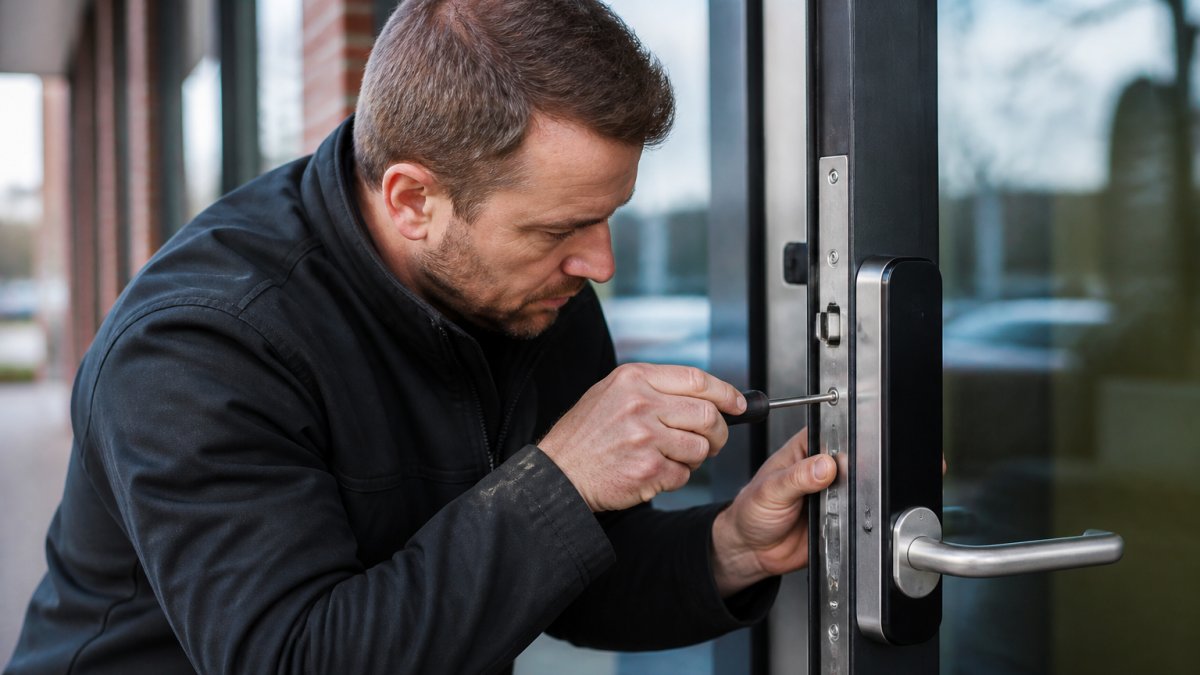
Site assessment precedes installation. A security specialist should survey your premises, identify entry points, evaluate sightlines for cameras, assess electrical infrastructure, and understand your operational patterns. This assessment determines sensor placement, camera angles, and system configuration.
Electrical infrastructure must support the system. Power requirements vary significantly, a small alarm system might need minimal power while comprehensive access control with electronic locks demands substantial capacity. Backup power systems (UPS or generators) require additional electrical work.
Integration with existing systems requires planning. Access control systems need to connect to alarm panels and CCTV systems. Network infrastructure must support the bandwidth requirements of modern systems.
Installer credentials matter significantly. Look for installers who hold relevant certifications and have experience with your type of premises. Installation quality directly affects system reliability and longevity.
Choosing the Right System for Your Business
Selecting appropriate commercial security systems requires matching system capabilities to your actual security needs and operational constraints.
Start by identifying what requires protection. Are you protecting high-value inventory, sensitive data, cash, or people? Different threats require different responses. A retail shop primarily needs visible deterrence and break-in detection.
Consider your operational patterns. If your business operates 24/7, you need continuous monitoring. If you operate standard hours, you need reliable after-hours detection.
Budget constraints are real but shouldn't drive security decisions. Undersized systems create coverage gaps that undermine security. Oversized systems waste money on unnecessary features.
Integration capabilities matter for long-term value. Systems that integrate with your existing infrastructure provide better functionality and lower total cost of ownership. Systems that operate in isolation create management headaches and limit capabilities.
Securing your commercial premises requires more than choosing equipment, it demands proper assessment, professional installation, and reliable maintenance.
At WS Locksmiths, we help businesses across Crawley, Horsham, Horley, and Redhill select and install commercial security systems tailored to their specific needs.
Call us 24/7: +44 77321 89721
Frequently Asked Questions
What is included in a commercial security system?
A complete commercial security system typically combines alarm sensors, CCTV cameras, access control locks, and monitoring services. Alarm systems detect unauthorised entry and trigger alerts. CCTV records activity on premises. Access control systems manage who enters specific areas using key cards, codes, or biometric readers. Many businesses integrate these components so they work together, with monitoring centres alerted if an alarm triggers. The specific components depend on your business type, property size, and security priorities.
How do commercial security systems differ from home security systems?
Commercial systems handle larger areas, multiple entry points, and more complex access requirements than residential systems. They often cover multiple floors, back-of-house areas, and outdoor spaces. Commercial systems typically include professional monitoring 24/7, whereas many home systems rely on mobile alerts. Access control is more sophisticated in commercial settings, often requiring different permission levels for different staff members. Commercial systems must also comply with specific regulations and insurance requirements that differ from residential properties.
How often should business security systems be maintained?
Most commercial security systems require quarterly or bi-annual maintenance to remain effective. Regular checks ensure sensors function correctly, batteries are charged, cameras capture clear images, and access control systems respond properly. Many providers recommend annual professional inspections to identify wear, test backup power systems, and update software. After break-ins or attempted break-ins, immediate inspection is essential. Maintenance schedules depend on system age, usage intensity, and manufacturer recommendations, discuss a tailored plan with your security provider.
Can a commercial security system be monitored remotely?
Yes. Most modern commercial security systems support remote monitoring through mobile apps and web dashboards. You can view CCTV feeds, receive alarm notifications instantly, and check access logs from anywhere. Remote monitoring allows you to respond quickly to security incidents even when off-site. Many systems integrate with professional monitoring centres that alert emergency services if an alarm triggers. Remote access is particularly valuable for business owners managing multiple locations or properties in different areas.
Which security system is best for a small business?
Small businesses typically benefit from integrated systems combining basic alarm detection, a few strategically placed CCTV cameras, and simple access control for the main entrance. Start with entry-point protection (doors and windows) and add cameras in high-value areas like tills or stock rooms. Many small businesses begin with a monitored alarm system, then expand to CCTV and access control as budgets allow. Your choice depends on your premises layout, inventory value, staff numbers, and insurance requirements. A security professional can assess your specific needs and recommend a proportionate solution.
Do businesses need CCTV, alarms and access control?
It depends on your business type, location, and risk profile. A retail shop may prioritise CCTV to deter theft and provide evidence. An office building might focus on access control to protect sensitive areas. Most businesses benefit from combining at least two components, for example, alarms for after-hours intrusion and CCTV for daytime activity monitoring. High-value businesses, those in high-crime areas, or those handling sensitive data typically need all three. Insurers often require specific security measures, so check your policy requirements.
What should I look for when choosing a commercial security provider?
Verify that technicians are fully trained and vetted, this ensures quality installation and trustworthy service. Check whether they offer 24/7 support and rapid response times for emergencies. Ask about monitoring services and whether they integrate multiple system types. Ensure they understand your industry's specific security requirements and relevant regulations. Request references from similar businesses. Confirm they provide regular maintenance and can scale the system as your business grows. A reliable provider should assess your needs carefully rather than pushing unnecessary upgrades.